
A puzzle does not need to fit into one sitting. You might have a short gap today and a little more time tomorrow, or simply prefer working on one recognizable part at a time. The awkward moment often comes after the break: the picture is familiar, but you cannot remember which detail you were looking for. A useful pause leaves you one clear next step.
This guide uses two catalogue pictures from Puzzia, an Artia Club app, to explain how to make that next step visible. It focuses on what you can observe in the picture and in your current puzzle. Choose the available settings in the version you have opened; the artwork alone does not tell you the number of pieces, the controls or how your personal progress is retained.
Pick a picture with places you can name
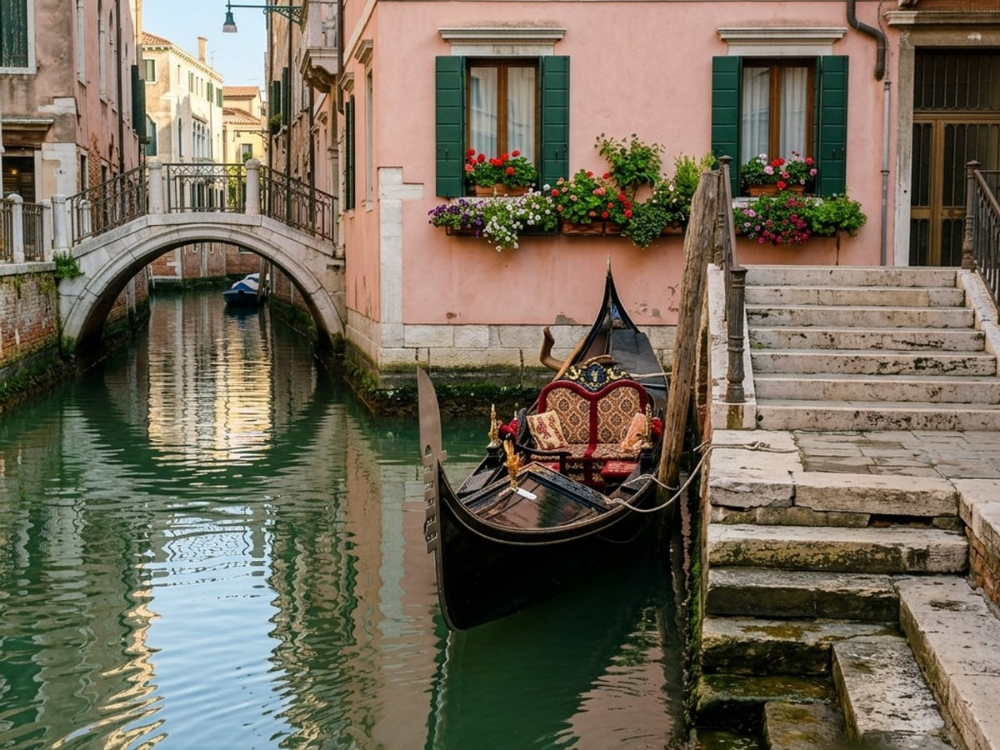
The Venice canal has several distinct landmarks: the bridge on the left, green shutters, flowers, the dark gondola and steps on the right. You can name one of them when deciding where to begin or stop. “The edge of the gondola beside the steps” gives your next session a more definite starting point than “somewhere in the lower half.”
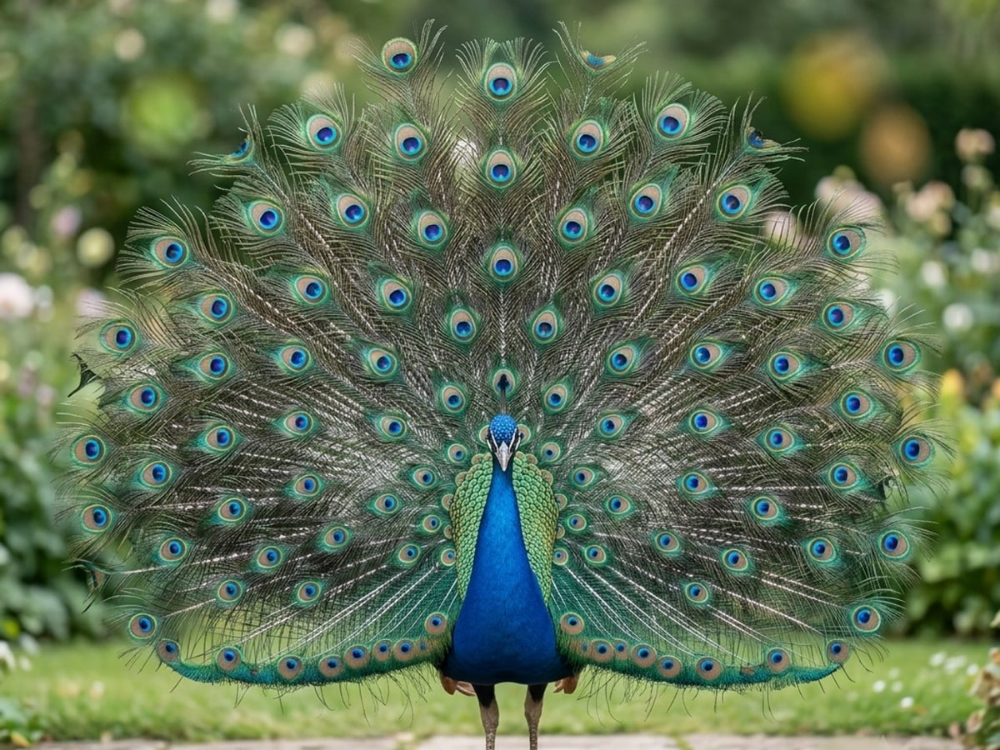
The Peacock offers a different kind of structure. The blue body stands out from the spread tail, while the tail repeats similar feather markings. It is a useful comparison if you enjoy patterns. The repeated markings can also be harder to distinguish, so choose a specific boundary or a position relative to the body instead of remembering only a green and blue feather.
Decide what this sitting is for
Before moving pieces, look at the whole reference picture and identify the part you would like to explore. Perhaps you want to work along the bridge, build around one shutter or find the boundary between the peacock's blue body and its tail. Choose one area as a starting direction, rather than promising to complete a fixed fraction of the entire puzzle.
Time available and progress are not the same thing. A few pieces with clear edges may come together quickly, while several similar feather details may take longer. If your evening has a fixed end, use that time as the stopping boundary. You do not have to keep going until an arbitrary section is finished, and choosing a different area next time is perfectly reasonable.
Work around one visible connection
Within your chosen area, look for a transition you can describe: dark boat against pale steps, green shutter against pink wall or blue feathers against the surrounding tail. A boundary gives you more information than color alone. Notice which side contains each color and how the line changes direction. Then compare those observations with the pieces actually available in your puzzle.
Use both the picture detail and the piece outline when considering a match. A plausible shade is only a candidate, especially in repeated textures. If the piece does not fit, return it to the place your current interface provides and reconsider the nearby image. Repeatedly trying the same uncertain match rarely gives you a better memory of what to do after a break.
Pause at a recognizable state
An ideal stopping point is not necessarily a completed object. It can be a short connected section whose position you understand, with a clear edge to continue along. On the canal picture, you might stop after establishing part of a shutter and plan to work toward the flowers. With the peacock, you might leave the blue body as your reference for the next surrounding pieces.
Avoid making the final minute a rush to fill every gap near that area. Take a look at the reference picture instead. Identify what has become clear and what is still uncertain. The next visit is easier to begin when you remember one honest open question, such as where a particular boundary turns, rather than several pieces you placed in a hurry and no longer trust.
Leave yourself a one-sentence return note
Before closing, say or write one short sentence: “Next, follow the dark edge of the gondola toward the steps.” Include an object, a location and an action. “Continue the green section” is less useful because the canal, shutters and background may all contain green. The note does not need to list everything you accomplished or every piece you tried.
You can keep that sentence in a separate note if you want; this is a working habit, not a claim that Puzzia includes a note feature. A brief note is usually enough. If it becomes a detailed diary of positions, simplify it back to the landmark and the next boundary you want to inspect. The purpose is to make returning easier than remembering the entire session.
Check the work before relying on a pause
Check how the current app version keeps your puzzle state. Before taking a longer break, leave the puzzle and reopen it on the same device to see whether the arrangement you expect is present. If it is not, resolve that first rather than assuming tomorrow's session will begin at the same point. Catalogue availability and personal progress are separate things.
Use the same checked setup for your next short session. Seeing the same picture on another device does not confirm that your unfinished arrangement has transferred there. Likewise, a screenshot can remind you what the picture looked like, but it does not restore interactive pieces. Keep any visual reminder for orientation, and verify the actual puzzle state in the app itself.
Return by looking, then moving
When you come back, first compare the reference image with the area already assembled. Read your one-sentence note, locate the named object and find the boundary you planned to follow. Only then start choosing pieces. A short orientation step can prevent the familiar cycle of moving several unrelated pieces before remembering what you meant to do.
If the old plan no longer appeals, select another clear landmark. Short sessions are useful because they can fit different amounts of time and interest; they do not have to repeat an identical routine. Open Venice canal for distinct objects or Peacock for a mix of a clear central subject and repeating detail. Finish each visit with one place you can recognize when you return.