

Reveal a night picture through numbered pixels, brush regions, puzzle pieces or scratch layers. In Scaria, each of the four ways has its own movement and rhythm. We’re preparing this new Artia Club app for the App Store and Google Play. Here is a first look at its night world.
Four different ways to open the night
Choose the action that suits your evening. The flashlight helps you see a dark patch; the selected mode determines how you reveal the picture.
PIXELS
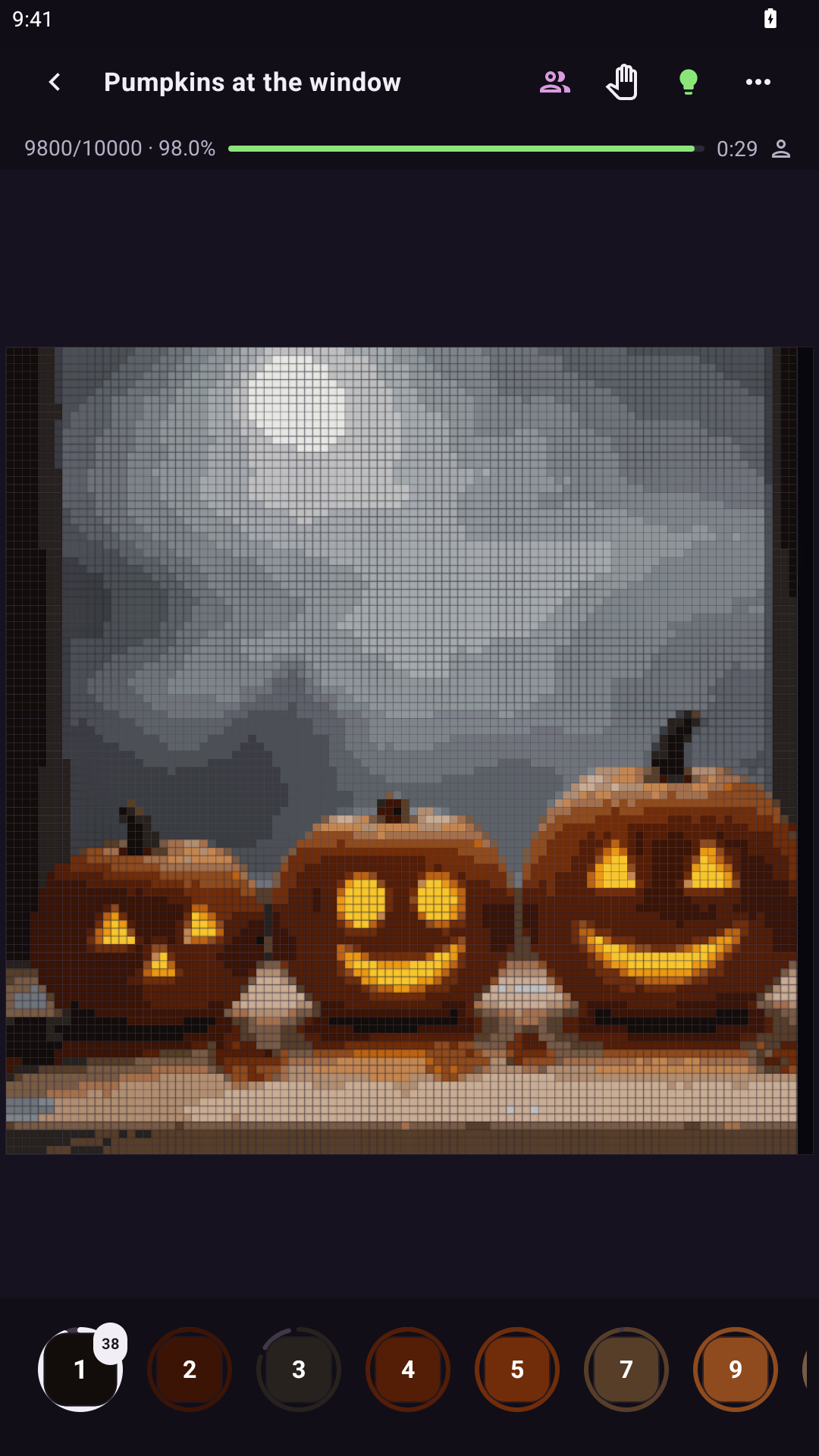
Pixels gives you a grid of numbered, unpainted cells. Pick a colour and fill the matching cells to bring the image into view. Zooming in makes it easy to see which number each cell is waiting for.
BRUSH
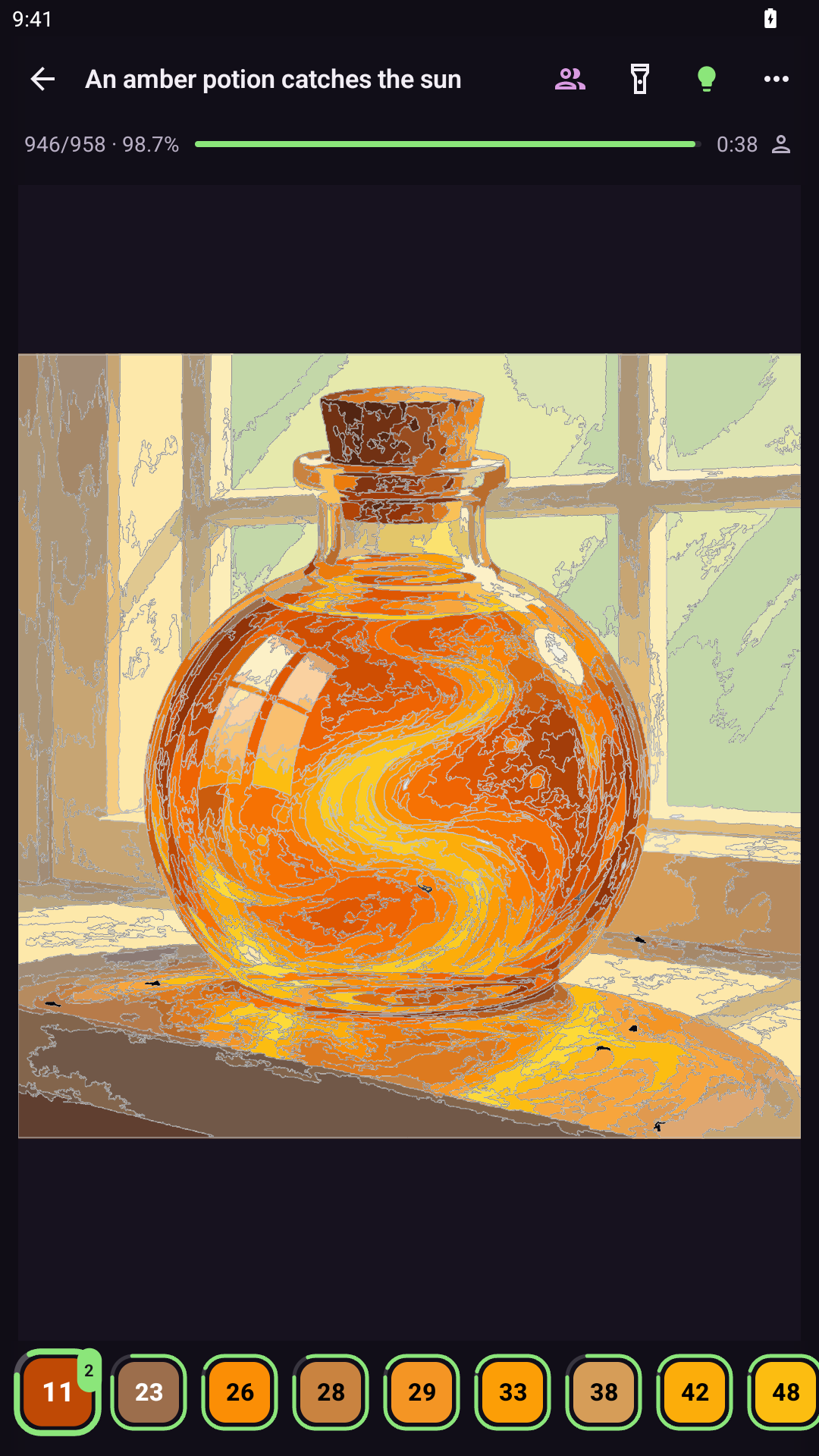
Brush fills numbered regions. The flashlight reveals outlines and numbers, and each region you fill becomes a coloured part of the scene. You can linger on one silhouette or a small detail.
PUZZLE
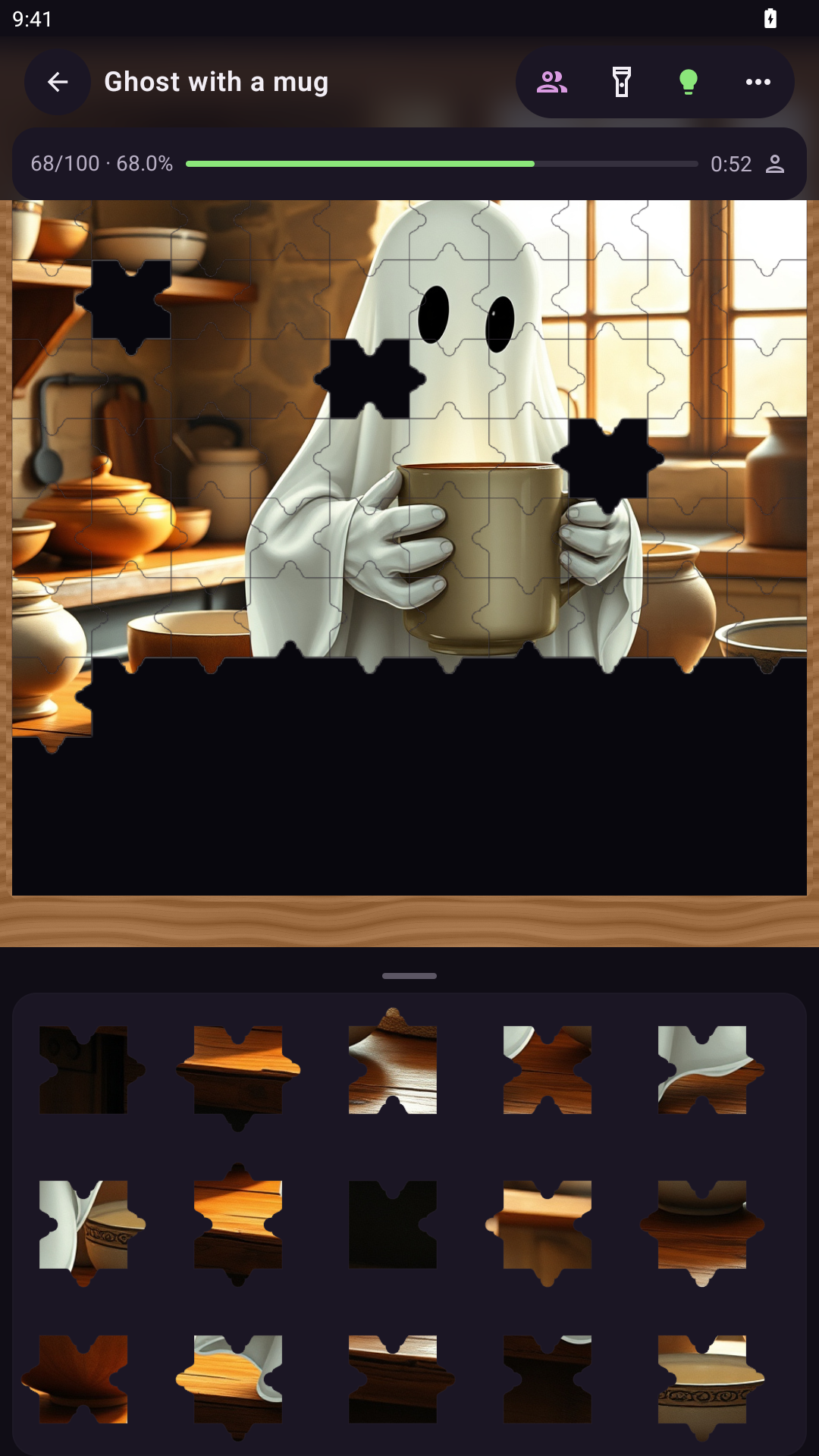
The night puzzle is made of individual pieces. Find a place for a piece and reveal another part of the scene. In this frame, the darkness has already moved back from the assembled pieces; the tray still holds pieces to place.
SCRATCH
Scratch reveals the picture beneath several layers of coating. Move your finger across them and notice different materials and colours along the exposed edge. There is always another layer to explore.
Picture of the Night
The daily Picture of the Night offers a starting point when you would rather not browse for long. Make it a small evening ritual: see what the new night brings and decide where to begin. We will keep the next day’s picture a surprise.
One picture, your company
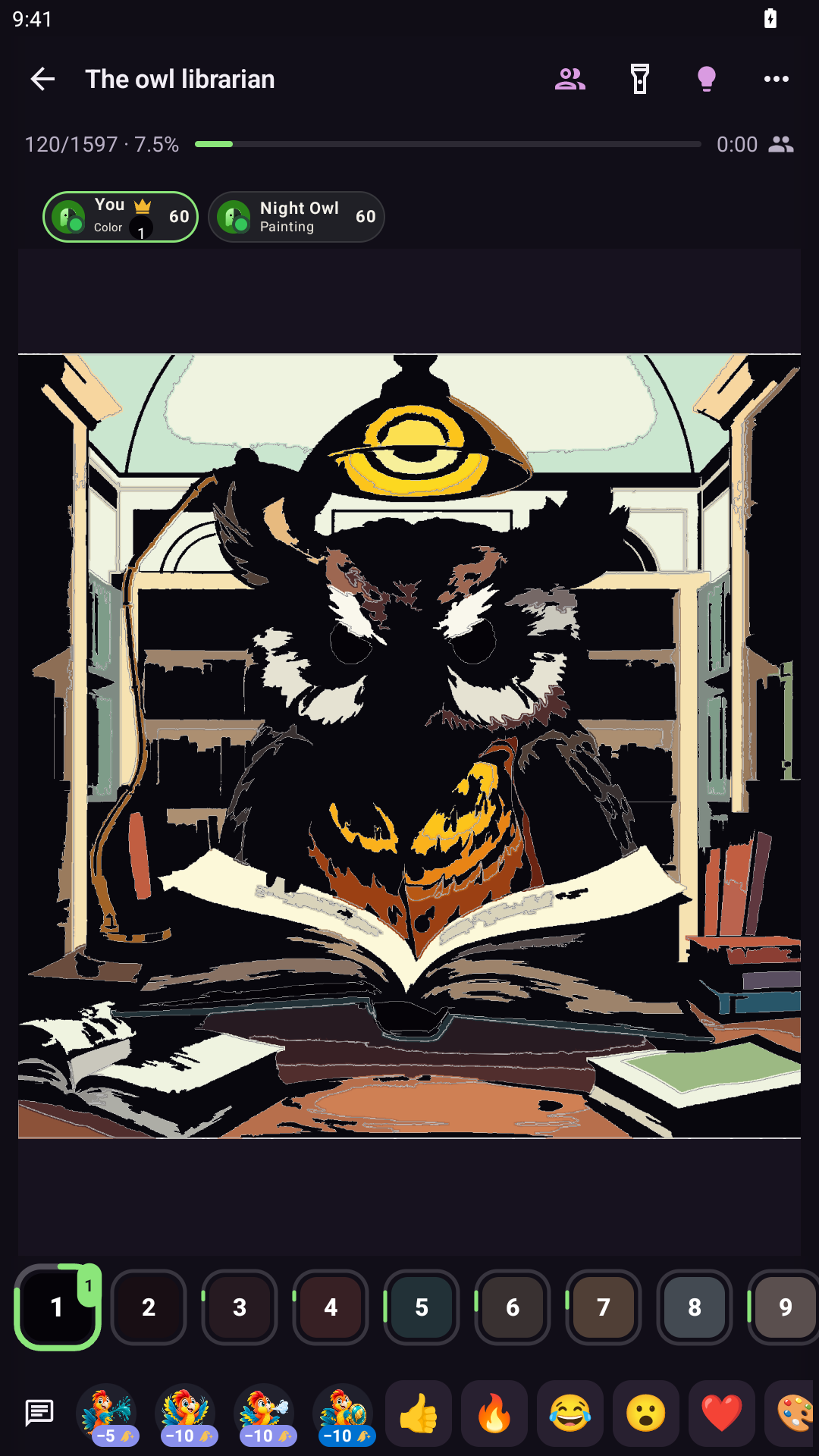
Invite friends into a shared room and reveal a picture together. Choose a mysterious house, a pumpkin or a night character. The real app frame below shows a shared Brush canvas, where everyone’s actions become part of the same work. There is also solo play for an evening on your own.
Emojis and short phrases fly over the shared picture: choose an emoji at the bottom, or expand the phrase panel to pick a short phrase.
Your photo with an unexpected mood
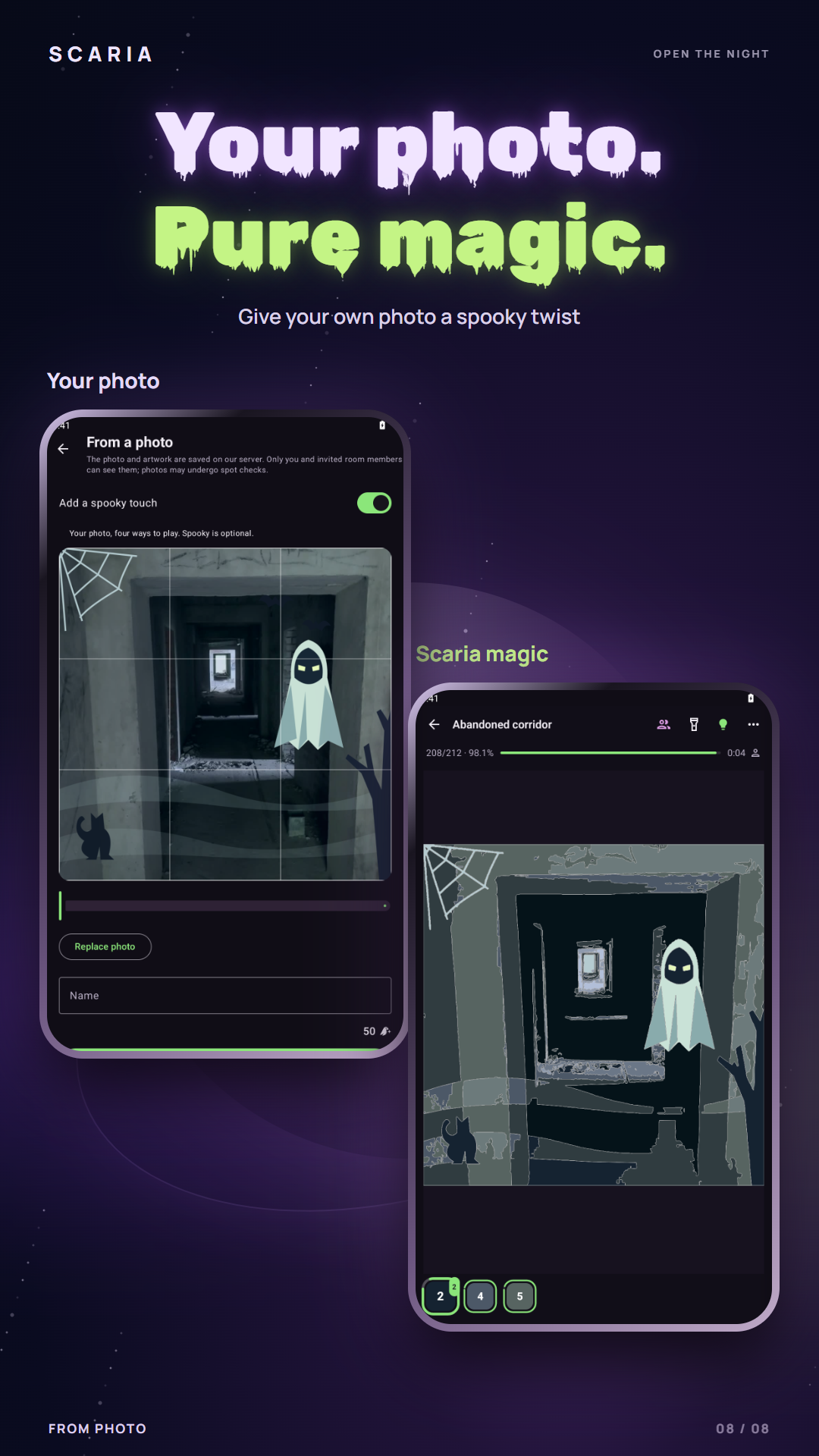
This example begins with a real photograph of an abandoned corridor, with no people in it. On the left is the photo preview with “Add a spooky touch” enabled; on the right is the picture created from it in Brush mode. Cobwebs, shadows and a ghostly visitor change the familiar scene. The effect is optional. Photos are sent to our server for processing and storage; check the terms and artpoint cost before creating a picture.
A night-time story for a family evening
For new catalogue pictures in Scaria’s kids mode, pixels use a 50×50 grid, puzzles are 5×5 and scratch has 5 layers; previously started works keep their layout. Brush is available only for pictures whose regular layout has no more than 500 regions: the layout stays the same. Kids-mode records are kept separately from regular ones; play without darkness does not count towards records. For a family evening, choose a gentle subject — a funny pumpkin, a cat or a friendly ghost — and look at the picture together first to decide whether it suits your child.
Scaria on iOS and Android
Scaria is being developed for iOS and Android. Which will you try first: numbered cells, the brush, a night puzzle or scratch layers? One night story can unfold in different ways.