
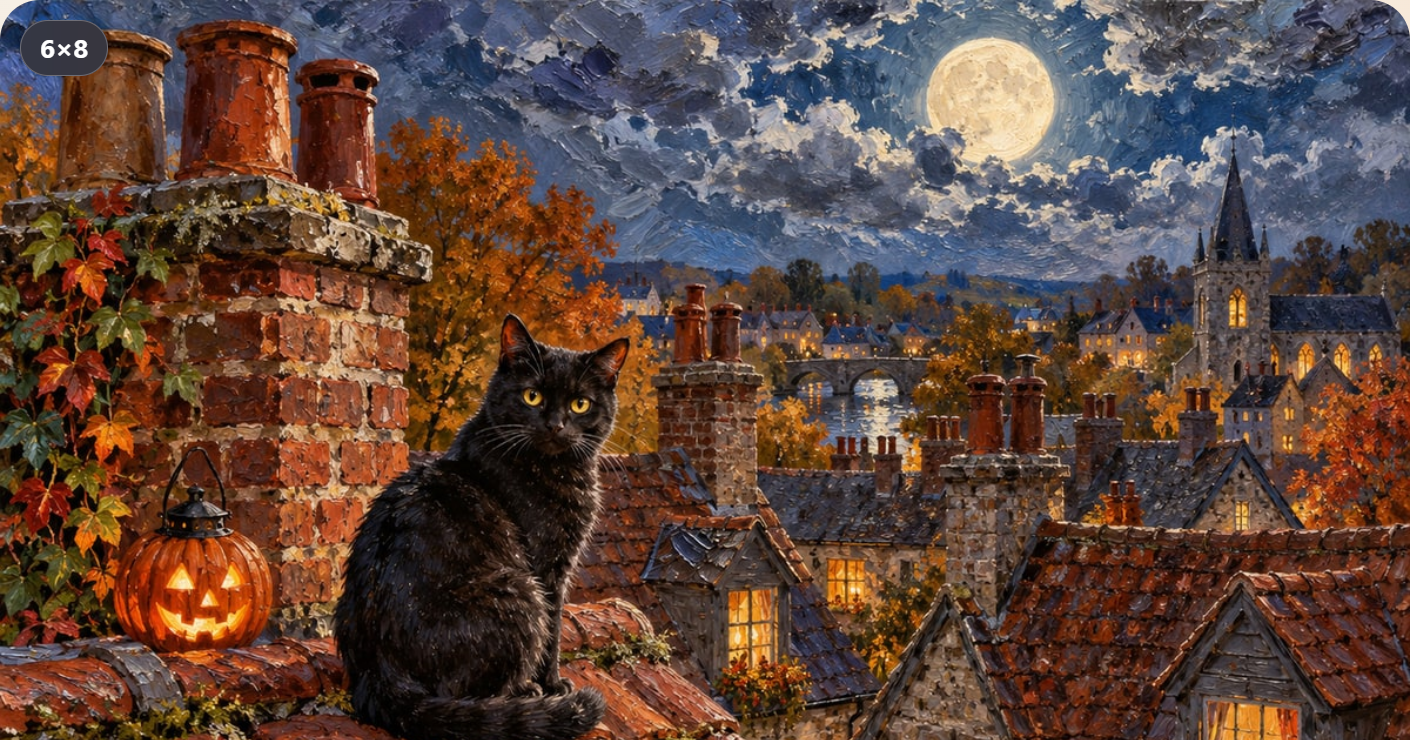
Halloween can begin with a small patch of orange, a cat on a roof or a lantern in an autumn garden. You do not need a costume to give an ordinary evening a different mood. In Colovia and Puzzia, the Halloween collections are already open: one invites you to colour, the other to assemble a picture. Choose the kind of attention you feel like giving a scene, and let the seasonal details provide the setting.
This is a look at the collections as they appear on 24 October 2026. The screenshots come from the web apps themselves. They show real catalogue and picture screens, rather than imagined examples of what a holiday update might look like. There is a Halloween category to browse, a daily picture to discover and a Together section in both apps. Those are three different starting points, so it helps to know what you want from your evening before opening a picture.
Start with a picture you want to spend time with
A seasonal collection does not have to mean choosing the most dramatic scene. A familiar silhouette can be just as inviting: a cat, a pumpkin, a roof or the light of a lantern. Look at the whole picture first. Where does your eye settle? Which colour or shape makes you want to look again? That is a more useful starting question than asking which picture you ought to finish before the holiday ends.
The two apps offer different ways to explore those details. In Colovia, you colour numbered regions. In Puzzia, you bring separate pieces together. The choice can be as simple as this: would you like to watch colour spread across a drawing, or would you rather find where a fragment belongs? There is no need to turn the choice into a challenge or to do both in the same sitting.
Colovia: lanterns, pumpkins and colour
Open the gallery and choose the Halloween category. Among the scenes visible during our visit were a house on Halloween evening, a bat with a sweet and a black cat with the moon. The collection also includes autumn subjects, so you can look for a warm, quiet scene as well as a more playful holiday character. Browse the Colovia gallery if you would like a first look at the pictures.
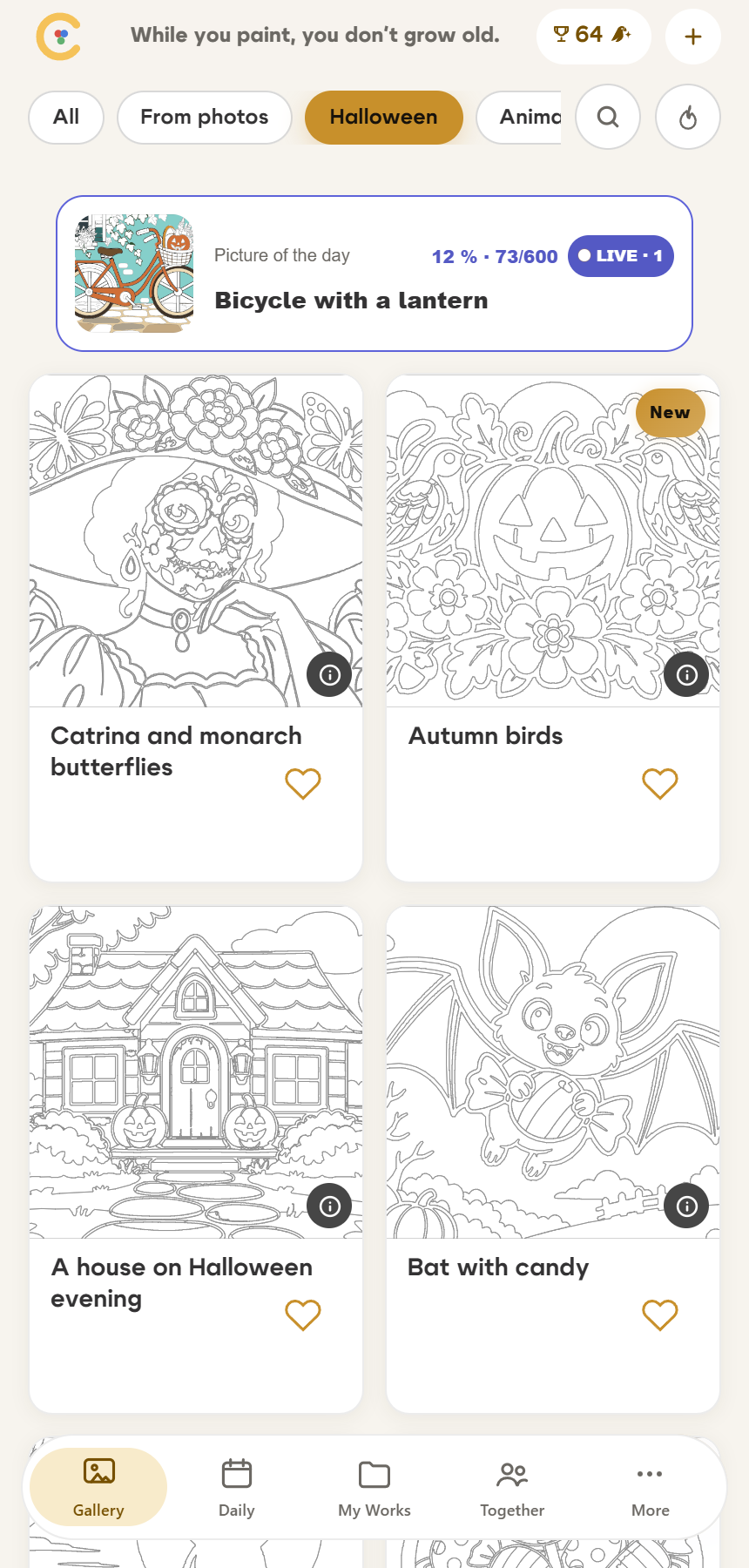
For a first colouring session, choose one recognisable part of the scene as your small goal. It might be a lantern, the outline of a roof or the shape of a pumpkin. Then look at the numbered regions around it. You can follow one colour for a while or move through a compact part of the drawing. This is a suggestion for how to approach the picture, not an extra mode or a rule you have to follow.
Pay attention to the relationship between the large forms and the details. A broad patch of sky may establish the mood, while a small bright window gives the scene its character. If you are choosing with someone else, describe what you notice before deciding. “I like the light in that window” says much more about the picture you want than “pick something easy”.
Puzzia: find the picture in the pieces
Puzzia has its own Halloween collection. During our visit, it included a cat on a moonlit roof, dahlias with chestnuts and a pumpkin, soup with stars, and lanterns on a night-time porch. The public catalogue returned 36 pictures in this category on 24 October. That is a dated snapshot of the selection, rather than a promise that the number will stay the same.
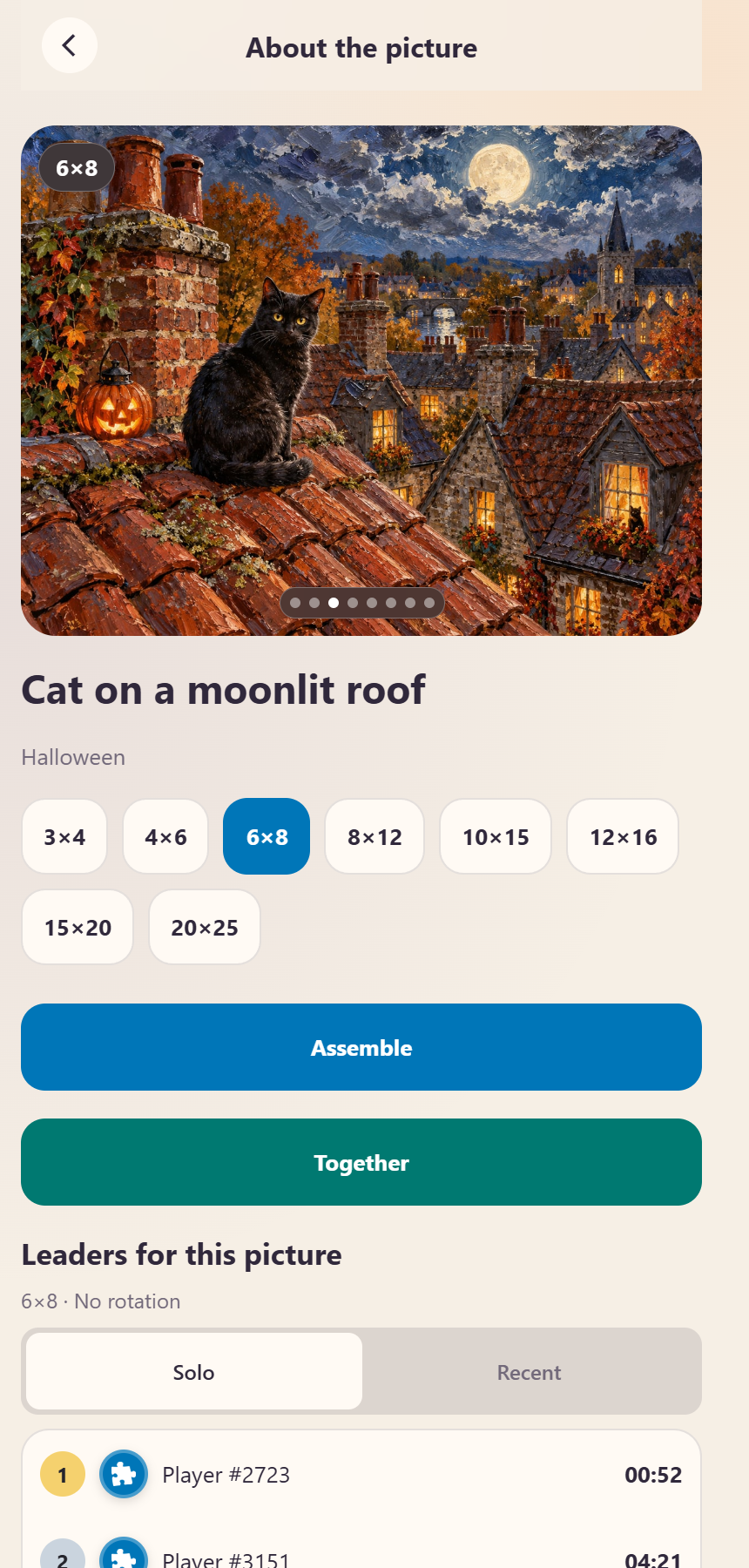
Before beginning, look for landmarks you will recognise in a fragment: a bright moon against a dark sky, a curved pumpkin, the edge of a roof. You can start with a distinctive object or with an outer edge, depending on what makes sense to you. If two pieces seem similar, compare the direction of a line and the colours on either side of it. A small difference is often easier to notice when you know which part of the scene you are looking for.
The Puzzia gallery is a useful place to compare subjects. Choose a picture whose details interest you, rather than treating every seasonal image as something to complete. A puzzle can be a way to look closely at one scene; the rest of the collection can wait.
The daily picture is a separate invitation
On 24 October, Colovia's daily picture is “Bicycle with a lantern”, while Puzzia's is “Owl in the mushroom forest”. These are the pictures returned by the live services on that date. They are not a fixed schedule for the remaining days of October, and the two apps do not need to feature the same subject.
Think of the daily section as another way to make a choice. When a large collection leaves you undecided, it offers a single starting point. When you already have a favourite in the Halloween category, you can choose that instead. The daily picture and the seasonal collection serve different purposes: one draws attention to today, while the other lets you browse by mood.
Make room for a shared evening
Both apps also have a Together section. Colouring together in Colovia and assembling together in Puzzia give the same seasonal idea a social setting. Open the relevant section in the app and follow the options shown there. The images in this article show the catalogue and a picture detail page; they do not show a staged group of players or claim that a particular room will be available when you arrive.
If you are planning an evening with a friend, agree on the picture first. Discuss the part that caught each person's eye, and leave room for different approaches. One person may enjoy the tiny details while another prefers a large, clear shape. The point of choosing a Halloween scene together can simply be having something enjoyable to look at and talk about.
Choose one small beginning
You can start this evening by opening either app, finding Halloween in the catalogue and choosing a scene you would like to explore. Look at its light, shapes and small surprises before you begin. A lantern, a cat or an autumn porch is enough to give the session a seasonal thread. The holiday does not have to become a deadline: choose a picture, choose your pace, and let the evening take its own shape.
And if that is still not enough, we are getting Scaria ready: reveal night pictures with a flashlight, build them from puzzle pieces and share a room with friends. Coming soon to the App Store and Google Play. More in our next post.